
Want to do multicolor 3D prints with a single extruder? Don’t have a CFS/AMS/ERCB/Box Turtle? Well yes, it is possible – Let’s walk through some of the common techniques.
P.S. You can download all the demo pieces on Printables.
ENABLE MULTI-MATERIAL IN SLICER
Before we begin, some setting changes need to be done. I use Orca Slicer, but these should be similar across all slicers.
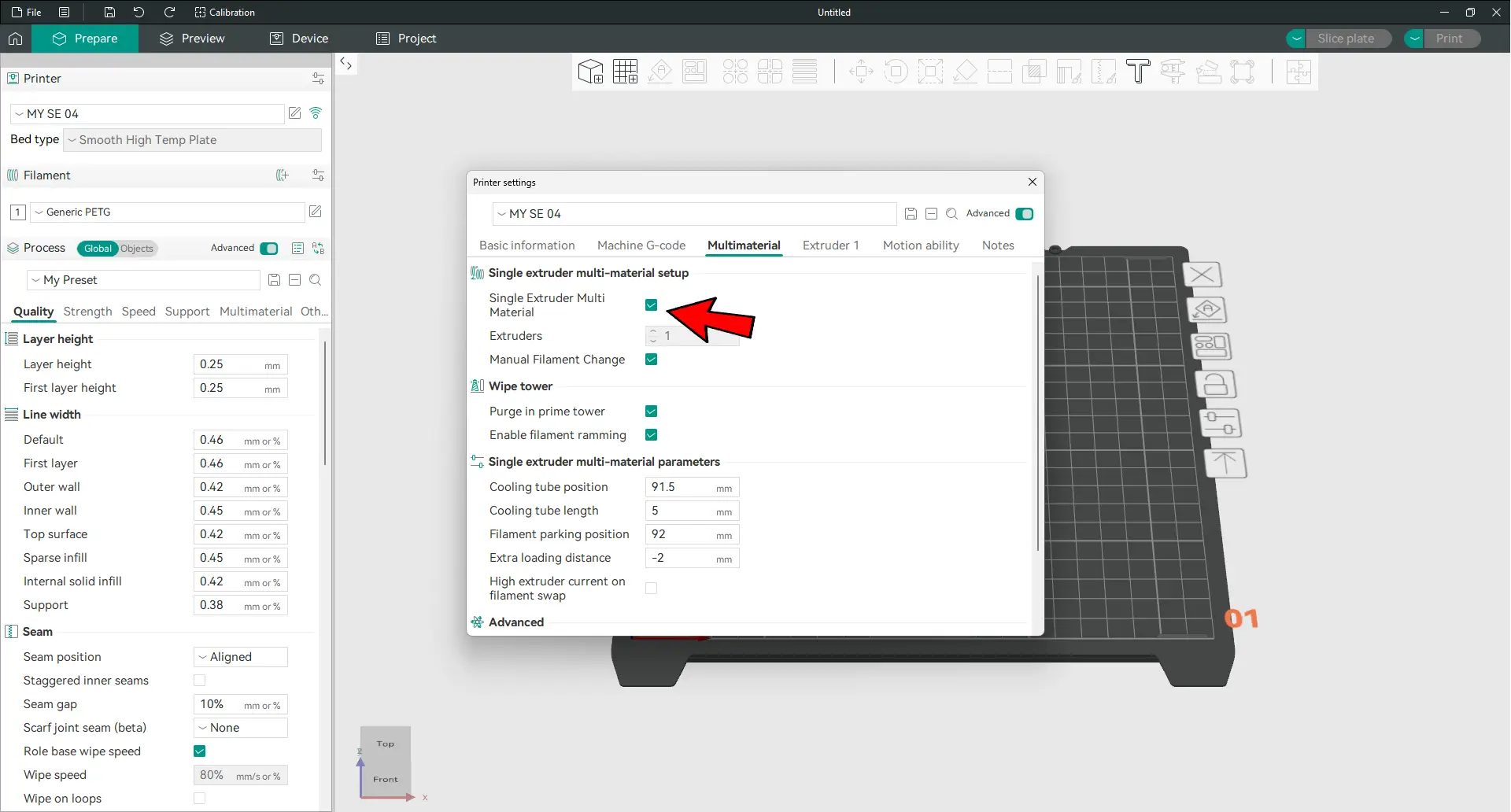
Under printer settings > Multimaterial > Enable “Single Extruder Multi Material” and “Manual Filament Change”.
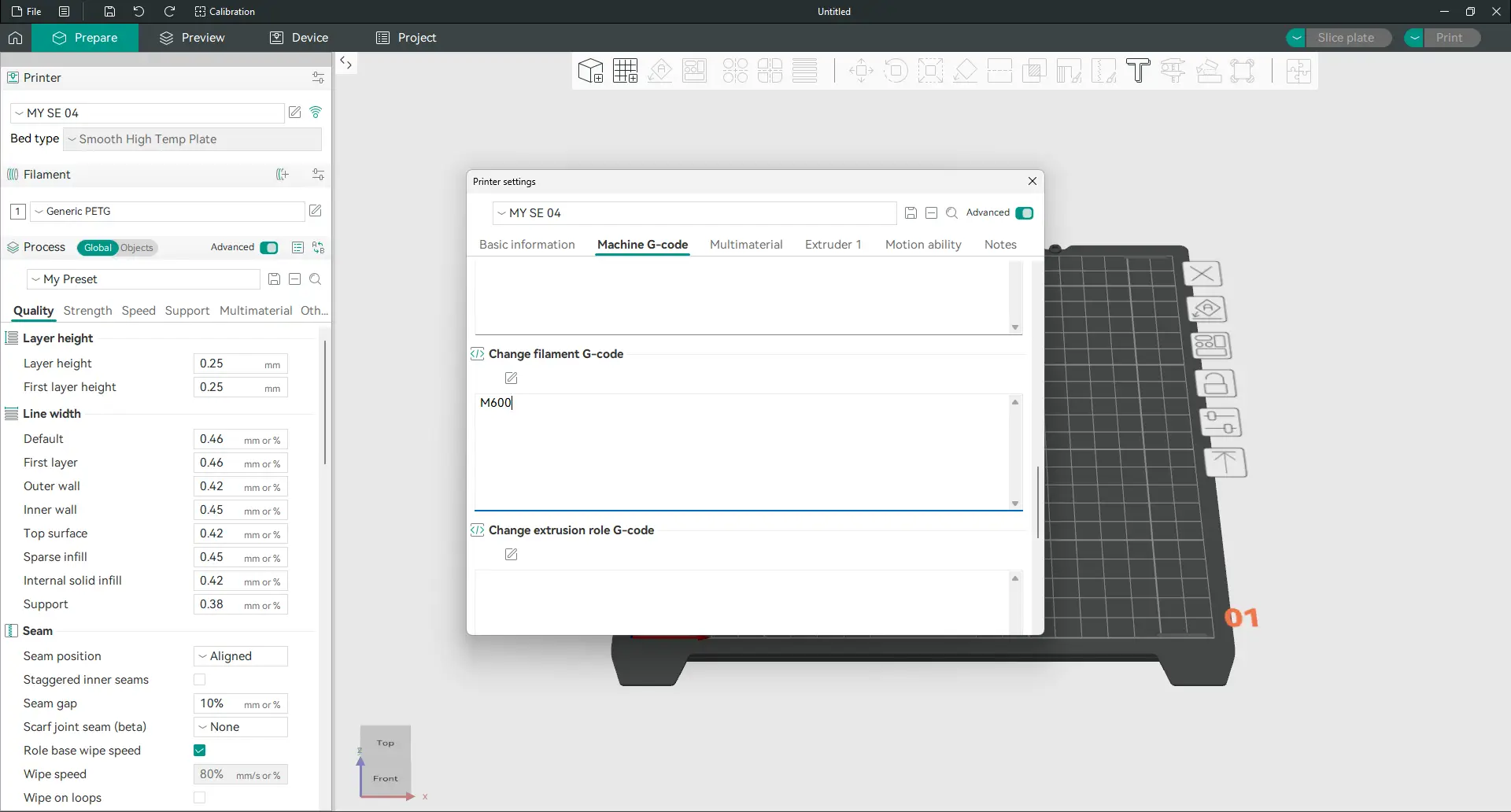
Then, under Machine G-code > Change filament G-code > Set to M600 (or PAUSE if not supported on your printer).
METHOD 1) CHANGE FILAMENT AT LAYER
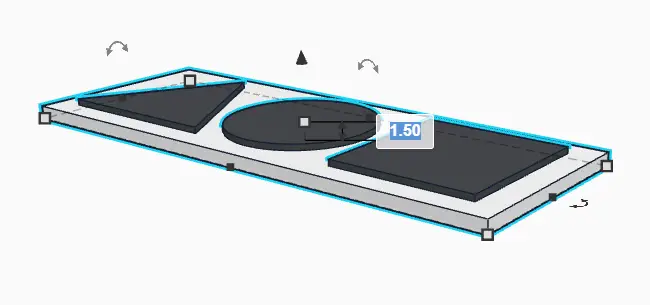
For this example, we will work with a dummy 1.5mm piece. The bottom 1mm is the plate (white), and the top 0.5mm are the shapes (black).
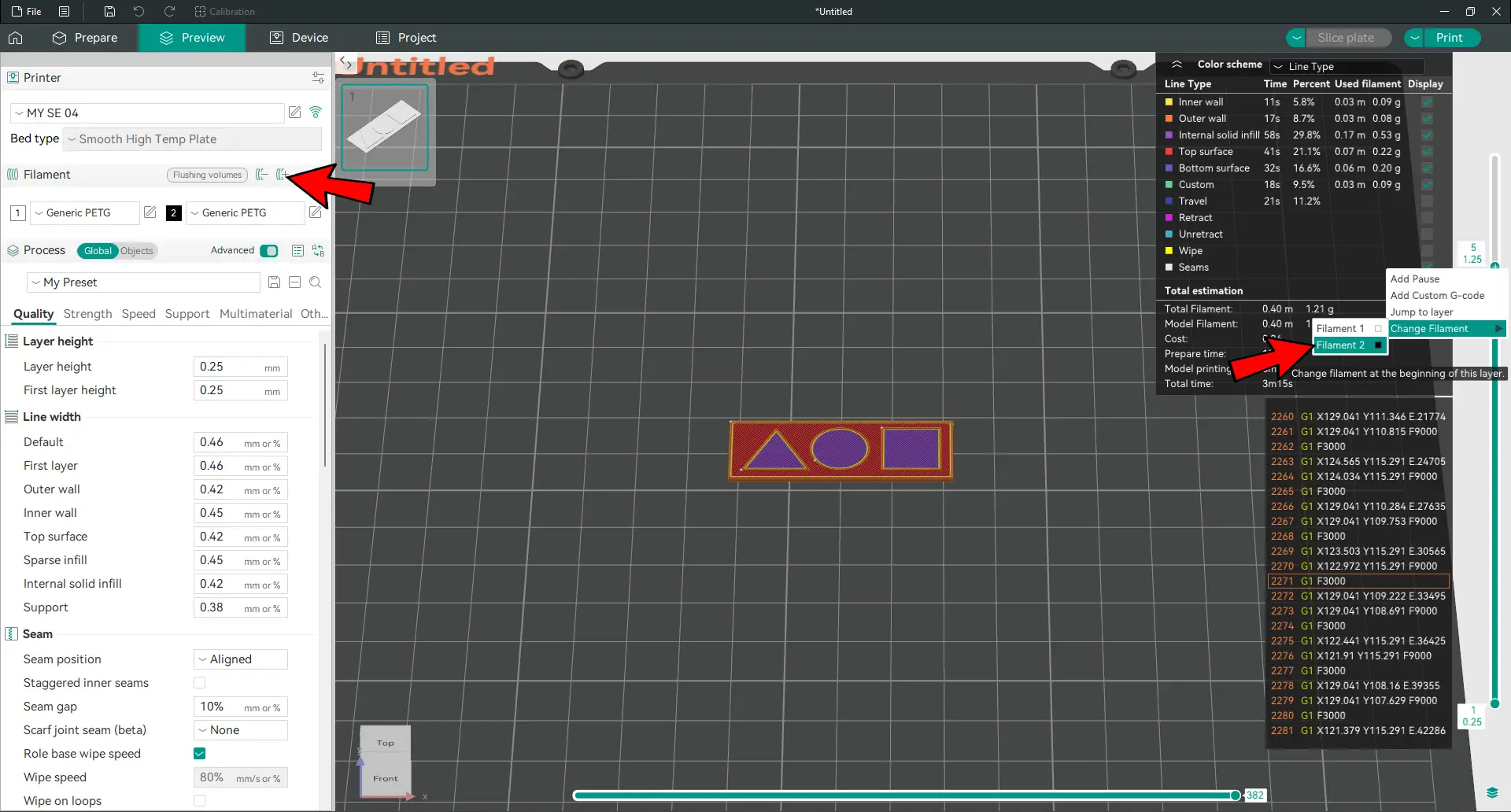
This is going to be a little confusing, but step-by-step:
- Set two filaments, layer height to 0.25mm.
- Slice. This will result in 6 layers (1.5mm piece / 0.25mm = 6 layers).
- Layers 1 to 4 is the plate (1mm), layers 5 and 6 are the shapes (0.5mm).
- We want the shapes to be in a different color. So go to layer 5 > right click > Change filament.
- Slice again, and print as usual.
- The print will pause at the start of layer 5. Manually swap the filament, extrude, and resume print.
METHOD 2) SEPARATE COLORS
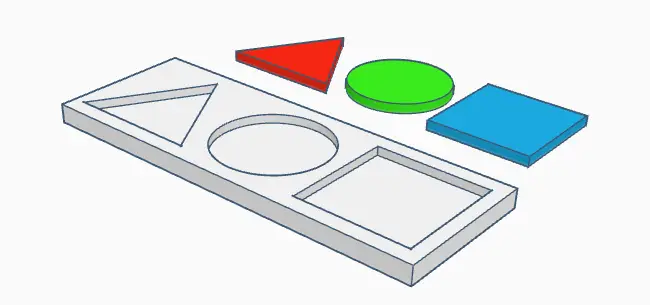
- There are no “magic tricks” for this one. Just print each individual piece in a different color separately.
- Then, use some glue to combine them together.
- P.S. Glue is optional… You can design your pieces to be super tight fit.
METHOD 3) MANUAL FILAMENT SWAP
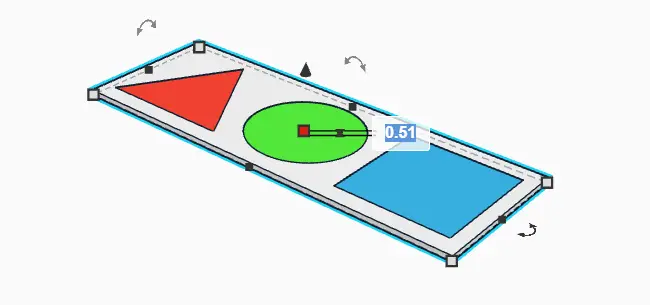
To keep this final example simple, we will work with a 0.51mm piece with only 2 layers.
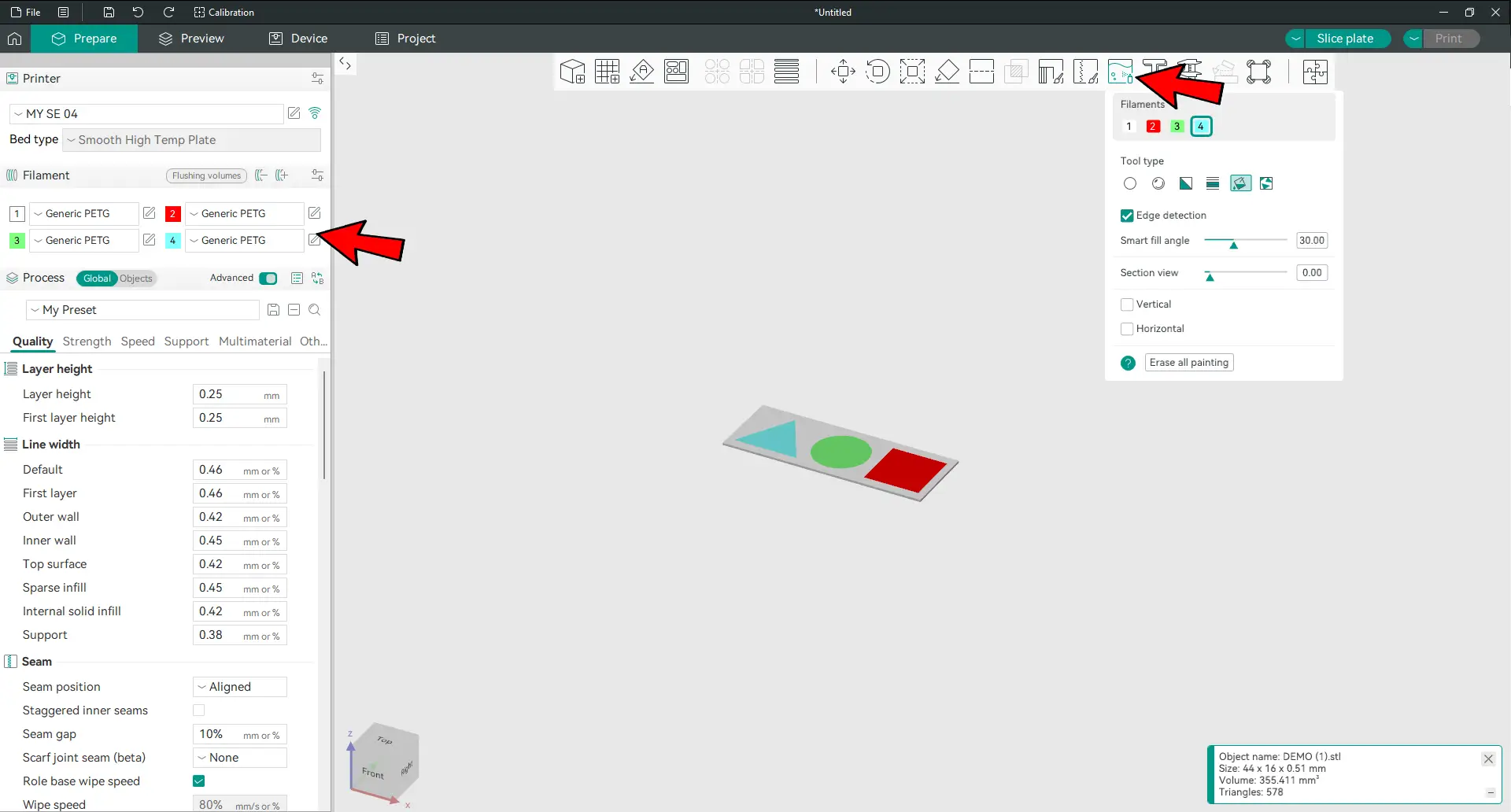
- Set 4 filaments.
- Using Color Painting, paint each shape in a different color – The fill tool is a good one to use here.
- Slice and print.
- The print will pause for color change. Manually swap the filament, extrude, and resume… Yes, you are the human CFS/AMS/ERCB/Box Turtle.
- P.S. The print order will change depending on the settings and orientation. But for the above, the order is square-circle-triangle.
WHICH IS THE BEST?
That covers all the common ways to do multi-colored prints with a single extruder. Which is the best? Personally, I am good with both “swap at layer” and “separate colors”. Manually swaping for multiple colors and layers is just way too much work. You will have to monitor the entire print as well… Hope this has been useful – Happy printing!